“Who on the team spends the most on AI?”
Spend per person, with the tools each one uses and how that usage is paid for.

Specivo shows how much each person on your team spends on AI, and on which project, feature and issue. Start at the company total and open it down to a single agent session.
Demo data: ACME Waste & Recycling (illustrative)Spend by person and feature
Your teams use Claude Code, Codex, Cursor and other AI tools every day, on personal plans, company seats and API keys. The bills come from different places, and none of them says who spent the money or on which feature.
“Who on the team spends the most on AI?”
Spend per person, with the tools each one uses and how that usage is paid for.
“What did this feature cost in AI?”
Every usage entry is attached to the issue the agent was working on, so each feature, bug or task carries its own AI cost.
“Which tool or model is driving the bill?”
Group the same spend by tool, model, provider or cost type, and open any row to see the entries behind it.
Open a project, then a person, then a feature, and finally the sessions behind it: date, tool, model, tokens and spend. Switch the grouping at any level to see the same money by tool or model.
The report in Specivo also groups by provider, cost type and git branch, adds a second “then by” grouping, and filters by person, tool, model, cost type and dates. Each project has its own spend report and AI usage tab, and each issue shows its own AI usage.
Every usage entry is attached to the issue (feature, bug or task) the agent was working on. Nobody tags anything by hand. Specivo works it out from:
SPECIVO_ISSUESPECIVO_ISSUEEvery issue has an AI usage tab. It adds up the agent sessions behind the feature, its sub-issues included: spend, API-equivalent value, tokens, the people who worked on it, the tools and models they used, and how the cost built up week by week.
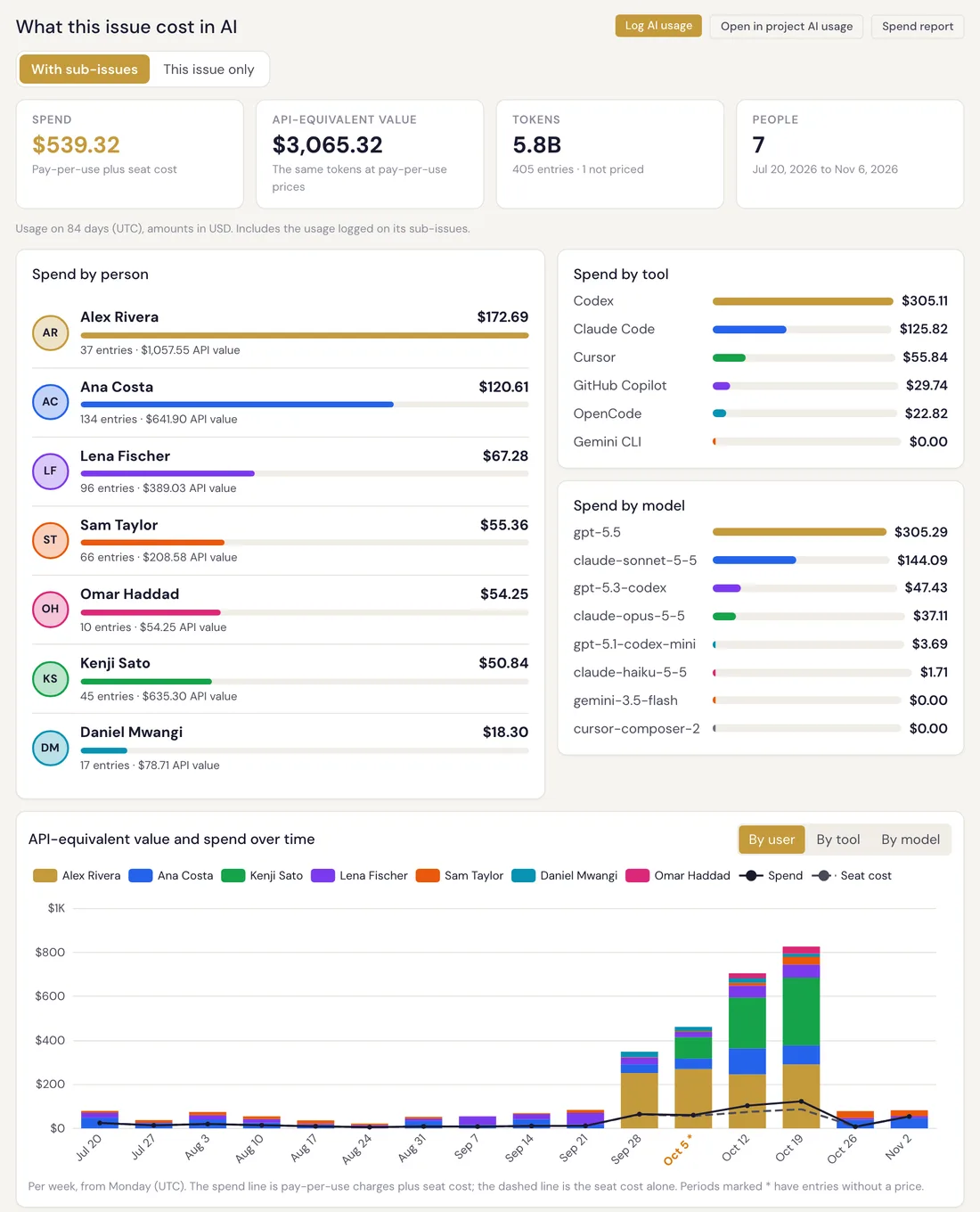
See what each person spends on AI, which tools they use, and how that usage is paid for: a personal plan, a company seat or pay-per-use API keys.
ai-usage is an open-source command-line tool (MIT, Python) for Windows, macOS and Linux. It reads the local logs of Claude Code, Codex, Gemini CLI and OpenCode.
Its hooks report usage after each agent turn. People and agents work on issues as they always do, and nobody has to log anything.
Company, project, issue and personal views, down to every entry. Export to CSV, or read the same data through the REST API and MCP.
$ ai-usage init
$ ai-usage hooks install --tool all
Spend over time, stacked by person, tool, model or project, grouped by day, week or month automatically. Tokens over time, and breakdowns by person, project, model and tool.
Input and output
Cache
Spend is pay-per-use API charges plus each subscription’s fee, spread over the usage that subscription covered. A flat-rate plan and an API key end up in the same report.
Presets for the plans people already pay for.
Business plans such as team seats, and any custom plan. Any currency, with exchange rates.
A bundled list of prices for more than 300 models, with history. Admins can override any price. Usage without a price is flagged, never silently counted as zero.
Two extra figures sit next to spend: API-equivalent value, the same tokens at pay-per-use prices (an estimate, not a bill), and leverage, that value divided by the plan fee.
The reporter sends usage numbers to your own Specivo, and Specivo runs on your server, air-gapped installs included. The data stays with you.
The reporter’s API key is stored in the OS keychain.
The server, the reporter on each laptop and the agent skill are all public code. Anyone can read what is collected, what is sent and where it goes.
Stores the usage and builds the reports, on your own server.
github.com/specivo/specivoRead exactly what it collects and sends. The ingest contract, the JSON format of what is sent, ships with it.
github.com/specivo/ai-usage-reporterLets Claude Code, Codex and Cursor report their own usage.
github.com/specivo/specivo-agent-skillsSpecivo’s MCP server and an agent skill for Claude Code, Codex and Cursor let agents report their own usage. One line in CLAUDE.md or AGENTS.md turns it on.
Agents report usage and read it back through Specivo’s MCP server.
The same data for your own scripts and dashboards.
Download any report for a spreadsheet.
Open source (AGPL). No per-seat pricing. Works with whatever AI your team brings.