What is an issue?
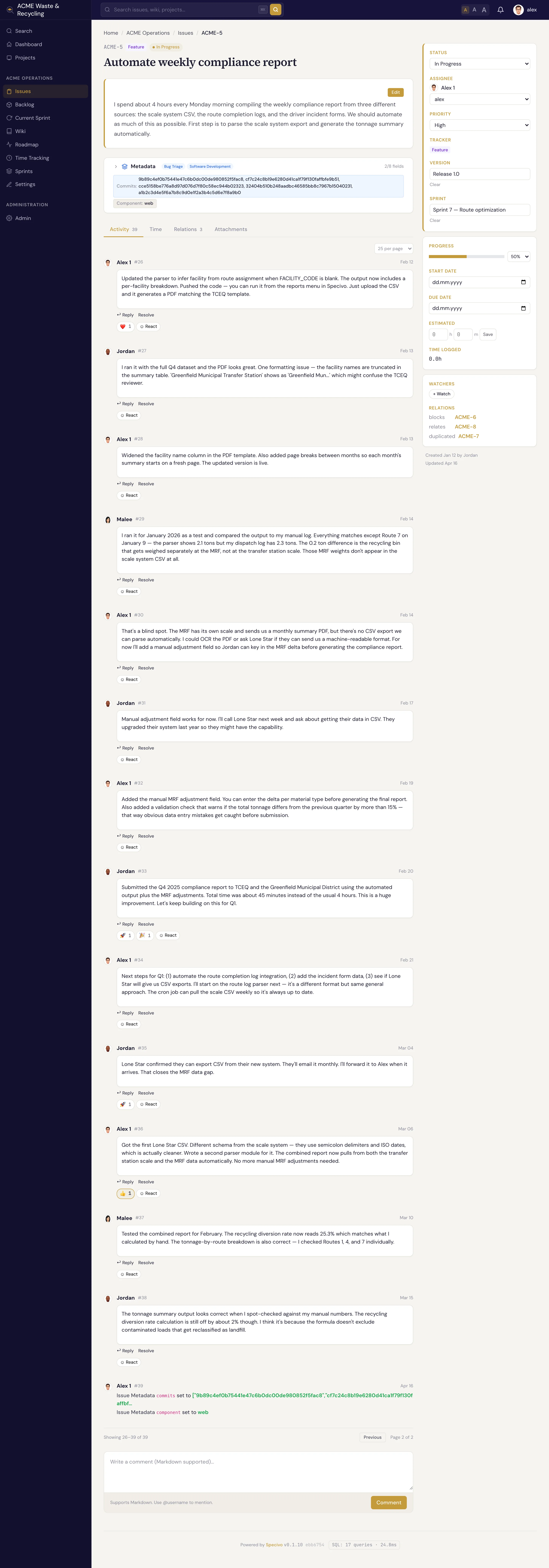
An issue is the unit of work in Specivo. Every bug to fix, feature to build, task to do, or
question to answer lives as one issue with its own page, its own number, and its own history. Issues
belong to a project and are numbered per project: the first issue in the
ACME project is ACME-1, the next is ACME-2, and so on. That key never changes, so you can paste
ACME-42 into a chat or a commit message and everyone knows exactly which issue you mean.
Trackers — the four issue types
A tracker is the type of an issue. Specivo ships with four:
| Tracker | Use it for | On the roadmap? |
|---|---|---|
| Bug | Something is broken and needs fixing | Yes |
| Feature | New capability or enhancement | Yes |
| Task | General work that isn't a bug or feature | Yes |
| Support | A question or request from a user | No |
Bug, Feature, and Task appear on the roadmap. Support issues do not, so day-to-day requests don't clutter your release planning.
The fields on an issue
Only two fields are required when you create an issue: a subject and a tracker. Everything else is optional and can be filled in later.
| Field | What it holds |
|---|---|
| Subject | A short, clear title (up to 1024 characters) — required |
| Description | The full write-up, in Markdown, with @username mentions |
| Tracker | Bug, Feature, Task, or Support — required |
| Status | Where the issue sits in its lifecycle (New, In Progress, …) |
| Priority | Low, Normal, High, Urgent, or Immediate |
| Assignee | The person responsible for the work |
| Category | A project-scoped label such as "Backend" or "Frontend" |
| Target version | The version (milestone/release) this is aimed at |
| Sprint | The sprint this issue is planned into |
| Start date / Due date | When work should begin and finish |
| Estimate | Estimated hours, plus original and remaining estimates |
| % done | Progress from 0 to 100 |
| Parent issue | Makes this a subtask of another issue |
| Private | Hides the issue from members who lack permission to see private issues |
| Watchers | People notified of changes even if they aren't the assignee |
| Metadata | Structured, typed fields beyond the core set — see below |
Metadata is extra typed data (story points, a git branch, a severity level) defined by reusable schemas, so the same fields stay consistent across issues. See Issue metadata.
What you can do with an issue
- Create one — pick a tracker, write a subject, set a few fields, save.
- Update and edit it — change status, reassign, set % done; every change is recorded.
- Move it to another project — it keeps its history and gets a new key; the old reference still resolves.
- Link it to other issues — mark what blocks, duplicates, or relates to it.
- Break it into subtasks — build a parent/child hierarchy.
- Comment on it — discuss in Markdown, mention teammates, react with emoji.
- Attach files — screenshots, logs, documents.
- Find it again — through the list, the board, or search.