Metadata schemas
A metadata schema defines a group of typed metadata fields and decides which issues they appear on. Instead of inventing fields one issue at a time, you enable a schema once and every matching issue gets the same consistent set of fields.
How a schema attaches
A schema applies in one of two ways:
- Project level — the fields appear on every issue in the project, regardless of tracker.
- Per tracker — the fields appear only on issues of a chosen tracker, for example only on Bug issues.
Multiple schemas can apply to one issue. A project-level schema and a tracker-specific schema both attach, so a single Bug issue might show its team's standard fields and the bug-specific fields together. Each schema contributes its own fields; they don't interfere with one another.
Who manages schemas
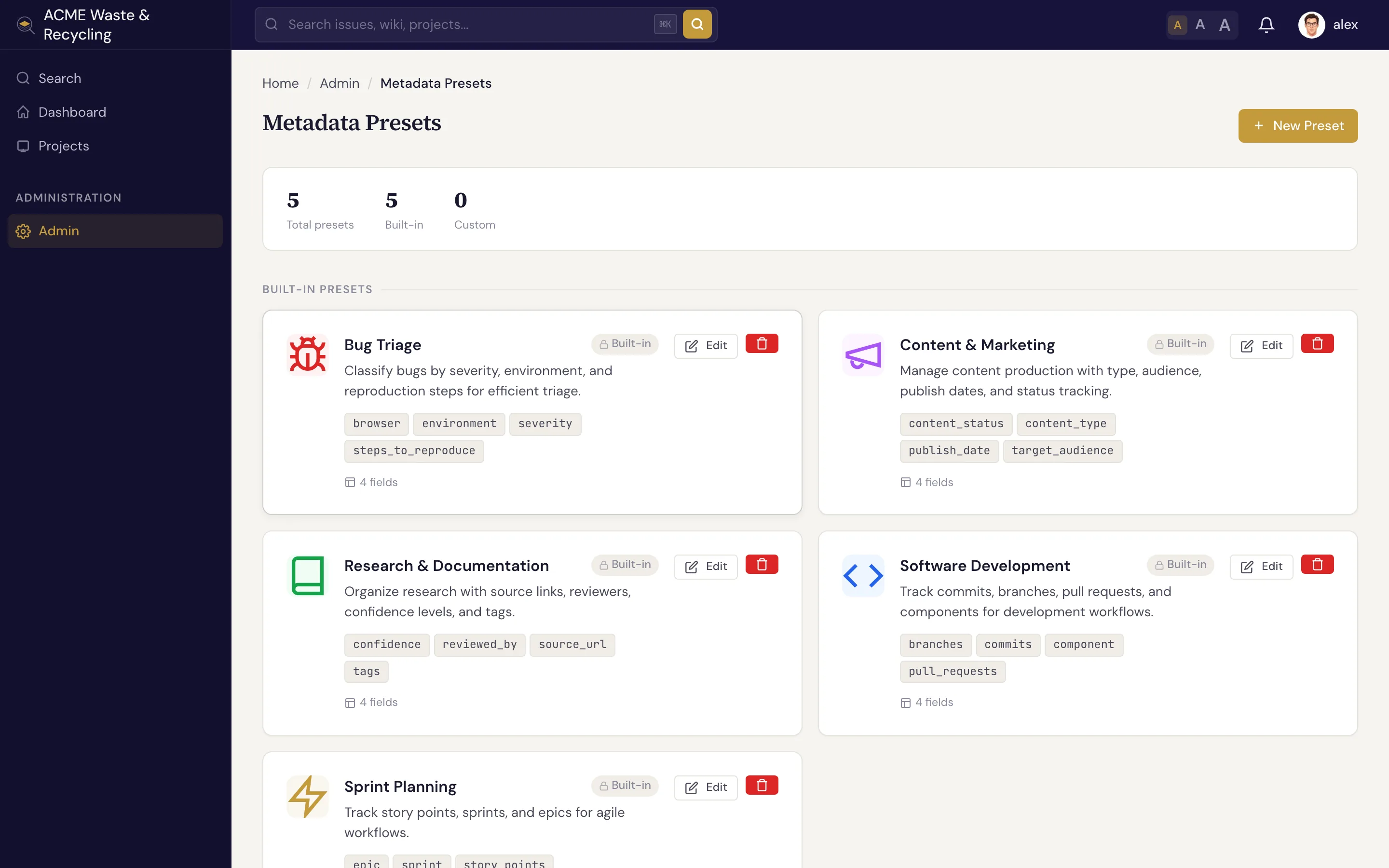
Schemas are defined and enabled by Managers in Admin → Metadata presets
(/admin/metadata-presets/). Everyone else simply fills in the fields on their issues — you don't need to
touch the admin area to use metadata.
Manager-only area
Creating, enabling, or editing schemas requires the Manager role. If you don't see Admin → Metadata presets, ask a project manager to set up the fields you need.
Project-derived (computed) fields
Most metadata is filled in per issue. A computed field is different: its value is a fixed function of the project, so every issue in that project gets the same value automatically, with no manual step. A typical use is grouping projects under an area — an "Area" or "cabinet" field that says which part of the org a project belongs to.
A computed field is configured once per project, under Project → Settings → Metadata →
Computed Fields, which requires the project-manage permission. Add one row per field: a field name
and the value every issue in the project should get. The same map can be set through the REST API as
computed_metadata, either when creating the project or with a later update; a project's current
configuration is returned on GET /api/v1/projects/{key}/ for anyone who may manage it.
After a computed field is configured:
- It is auto-filled on every issue in the project, across every creation path — the web UI, the REST API, and AI agents — with nothing for anyone to enter.
- It is never stored on the issue and can't be edited or overridden by users, so it can never drift out of sync with the project.
- It recomputes automatically when an issue is moved to another project, picking up the new project's value with no extra step.
Because the value comes from the project, not the issue, a computed field is the right choice for anything that should always match the project it lives in.
Built-in presets
Specivo ships with five ready-made presets. Enable any of them as-is, or use them as a starting point for your own. Each preset is a schema with the fields below.
Software Development
Track the code behind an issue.
| Field | Type |
|---|---|
component |
String |
commits |
Array |
branches |
Array |
pull_requests |
Array |
Bug Triage
Capture the details that make a bug reproducible and prioritizable.
| Field | Type |
|---|---|
severity |
Enum — critical, major, minor, trivial |
environment |
Enum — production, staging, development, local |
browser |
String |
steps_to_reproduce |
String |
Content & Marketing
Plan and track content production.
| Field | Type |
|---|---|
content_type |
Enum — blog, social, email, landing_page, video, whitepaper, case_study |
target_audience |
String |
publish_date |
Date |
content_status |
Enum — idea, draft, in_review, approved, published |
Sprint Planning
Add agile estimation fields to issues.
| Field | Type |
|---|---|
story_points |
Integer (1–100) |
sprint |
String |
epic |
String |
Research & Documentation
Record sources and review state for research work.
| Field | Type |
|---|---|
source_url |
URL |
reviewed_by |
String |
confidence |
Enum — high, medium, low |
tags |
Array |
Next steps
- What is metadata? — the concept and the field types.
- Working with metadata values — fill in fields, edit arrays, and filter issue lists.