Versions & roadmap
A version is a milestone or release: a named target that issues are grouped toward, such as
v1.2 or "Q3 launch". Versions are how you plan ahead — you assign issues to a version, then watch
the roadmap fill in as the work gets done.
What a version holds
| Field | What it holds |
|---|---|
| Name | The release or milestone name, e.g. v1.2 |
| Description | A short summary of what the version is for |
| Status | Open (accepting work), locked (no new issues, work in progress finishes), or closed (shipped/done) |
| Target date | The effective date you're aiming to deliver by |
| Sharing | The scope the version is shared with (for example, sub-projects) |
| Wiki page | An optional linked wiki page — handy for release notes |
The optional wiki page link is a good place to keep release notes: write the page once, link it from the version, and everyone reaching the roadmap can find the notes.
Assign an issue to a version
Open the issue and set its target version field to the version you want. That's the single link between an issue and a release — once set, the issue counts toward that version's progress and shows up under it on the roadmap. See Updating an issue.
Only the three roadmap trackers — Bug, Feature, and Task — appear on the roadmap. Support issues don't, so everyday requests don't crowd your release planning.
The roadmap
The Roadmap lists the project's versions and shows progress for each: how many of its issues are done versus still open. It's the at-a-glance answer to "what's left before we ship?".
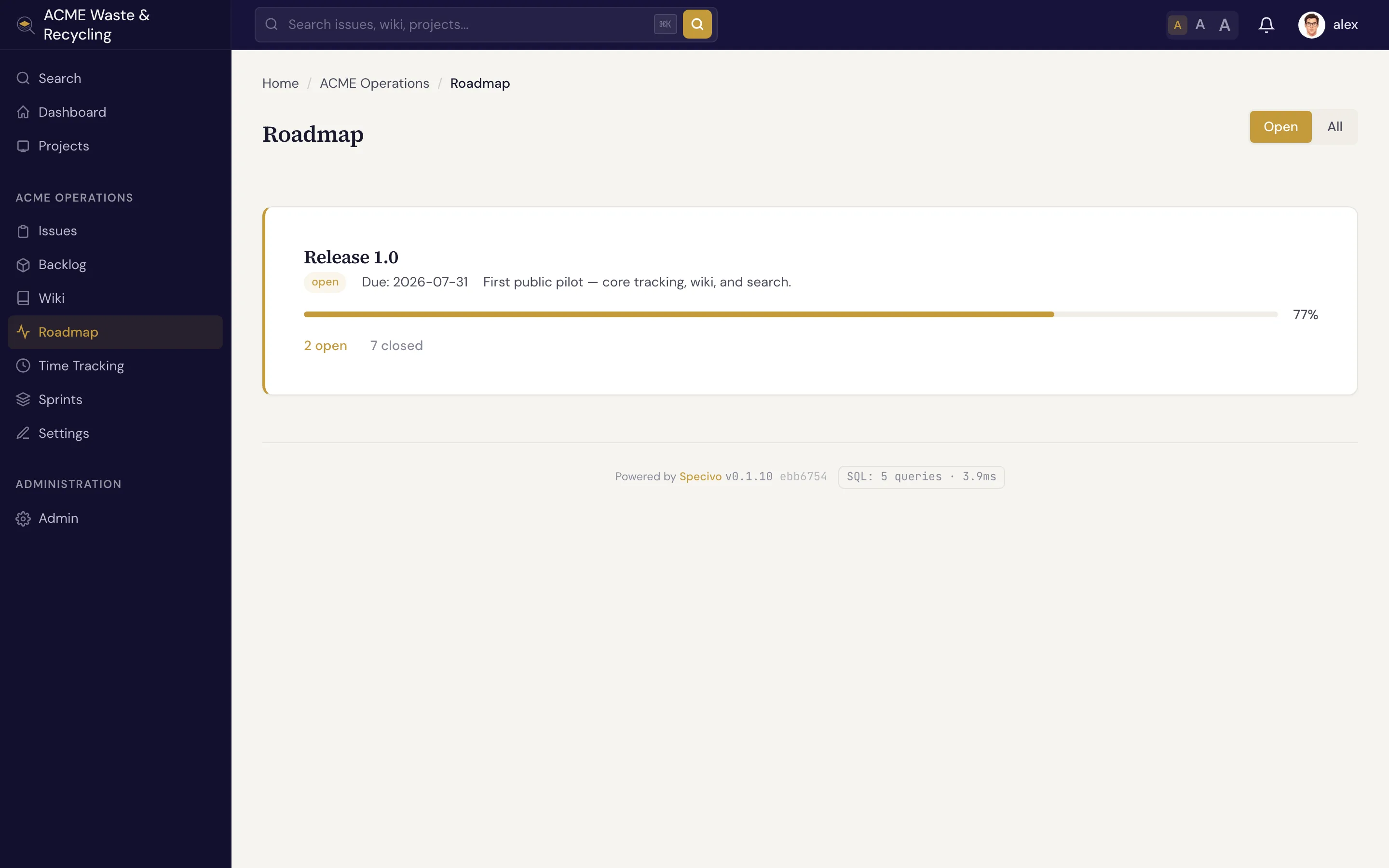
Click a version to see the issues assigned to it, grouped by status, so you can drill from the high-level plan straight into the work.
Creating and managing versions
Versions are created and edited by a project Manager in the project's settings. Set the name and target date, leave the status open while you're still adding issues, move it to locked as you near the finish, and close it once the release ships.
You can't delete a version that's still in use
Deleting a version fails while issues still reference it. Specivo won't orphan those issues. First reassign or clear the target version on every issue pointing at it, then delete the version.