Sprints
A sprint is a time-boxed iteration: a fixed window in which the team commits to a set of issues and a goal. Where versions plan toward a release, sprints plan the next week or two of work. You plan a sprint, start it, and complete it.
What a sprint holds
| Field | What it holds |
|---|---|
| Name | The sprint label, e.g. "Sprint 14" |
| Goal | A one-line statement of what the sprint aims to achieve |
| Status | Planned, active, or completed |
| Start date / End date | The window the sprint runs for |
One active sprint per project
A project can have only one active sprint at a time. Plan as many sprints ahead as you like, but you start them one after another.
The sprint lifecycle
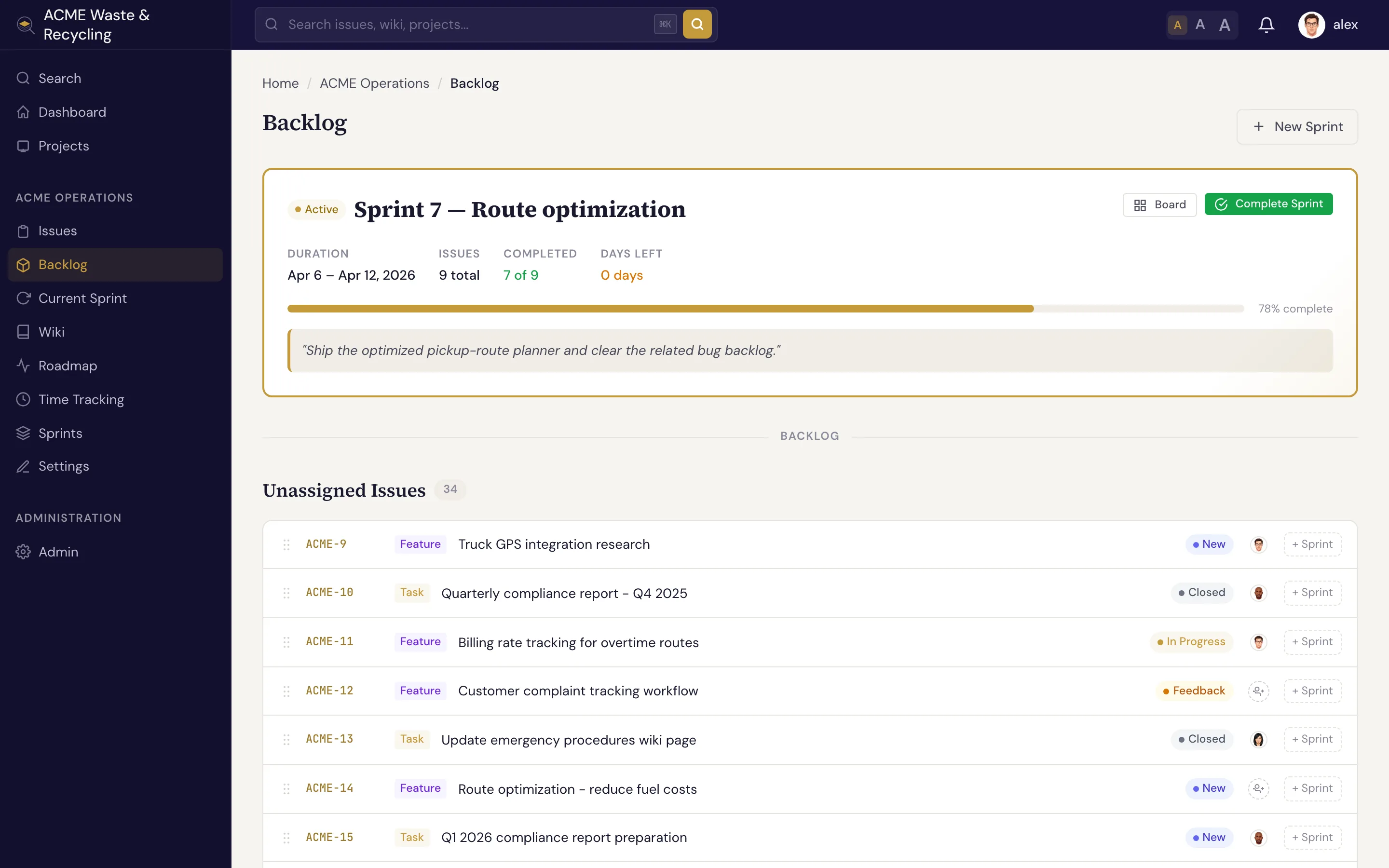
- Plan. Create the sprint, set its goal and dates, and pull issues into it from the backlog while its status is planned.
- Start. When the window opens, start the sprint. It becomes the project's one active sprint, and its issues show up on the sprint board.
- Complete. At the end of the window, complete the sprint. Completing it snapshots the team's velocity — a record of how much work was finished — so you have a baseline for planning the next one.
The backlog
The backlog is the pool of issues that aren't yet committed to a sprint. This is where you plan: review what's waiting, decide what fits the next iteration, and assign issues to a sprint. An issue's sprint field is the link — set it (from the backlog or the issue itself) to pull the issue in.
The sprint board
The sprint board shows the active sprint's issues as cards in columns by status — New, In Progress, Resolved, and so on — so the team can see the state of the iteration and move work along. The columns follow the status categories (backlog, active, done), the same ones that drive the issue board.
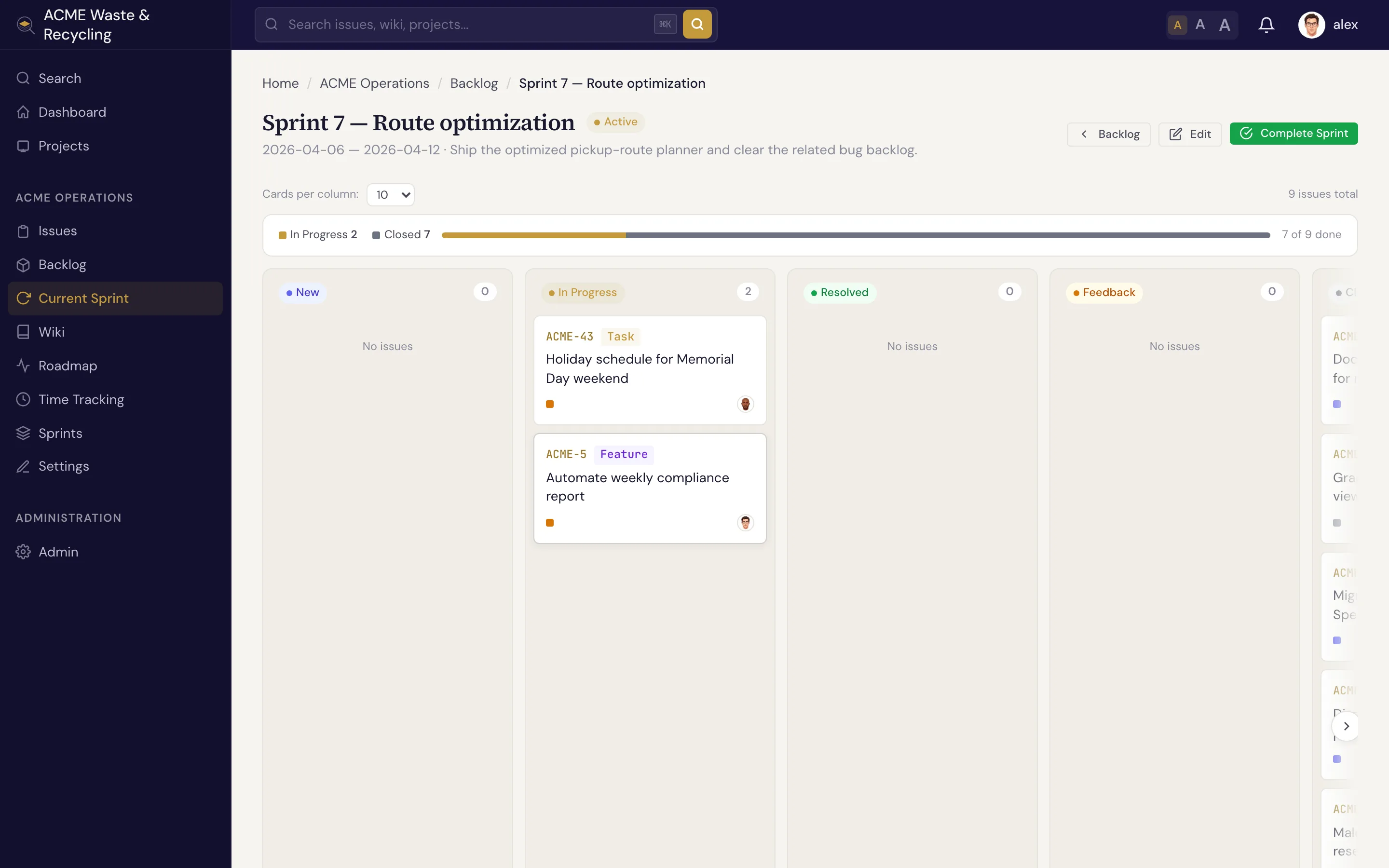
Use the board during the sprint for the day-to-day flow, and the roadmap when you need the longer view across releases.